LOCAL-FIRST WELLNESS · FOR iPHONE本地优先的健康助手 · iPhone
Your data follows you,not any single AI model.数据跟着人走,不跟着某一家模型走。
YesHealth医起行 — Trust more. Live healthier.更信任·更健康
A calm, local-first health hub for iPhone. Apple Health and your wearables in one clear timeline with gentle on-device insights — no account, no cloud sync, no developer server. Coming in 1.1: bring your own AI, from OpenAI and Claude to DeepSeek, Qwen or Apple’s on-device model, and switch any time.一款安静、本地优先的 iPhone 健康中枢。把「苹果健康」与可穿戴设备的数据汇成一条清晰时间线,获得温和的本机洞察——无需账号、没有云同步、没有开发者服务器。1.1 版即将推出:自带 AI,从 OpenAI、Claude 到 DeepSeek、通义千问或苹果本机模型,随时切换。
Your data follows you,not any single AI model.数据跟着人走,不跟着某一家模型走。
AI models come and go. Your health history shouldn’t be locked into any of them — or into us. YesHealth keeps everything on your iPhone, in formats you can take with you, and lets you choose which AI (if any) gets to see a de-identified slice of it.AI 模型会不断更替,你的健康历史不应被锁定在任何一家模型里,也不应被锁定在我们这里。医起行把一切留在你的 iPhone 上,用你能带走的格式保存,并由你决定是否、以及让哪一家 AI 看到经过去标识化的那一部分。
Stays only on your iPhone只留在你的 iPhone 上
No account, no cloud sync, no developer server. Export a copy in an open format (JSON) any time.无账号、无云同步、无开发者服务器。随时以开放格式(JSON)导出一份副本。
JSON exportJSON 导出In 1.01.0 已支持
CSV exportCSV 导出Coming in 1.11.1 版即将推出
Password-encrypted backup to a new phone (AirDrop / Files)加密备份迁移到新手机(隔空投送 / 文件)Coming in 1.11.1 版即将推出
Bring your own AI自带 AI,自由选择
Pick any provider and switch any time. Requests go straight from your phone to the provider you choose — never through us.任选服务商,随时切换。请求从你的手机直接发给你选择的服务商——绝不经过我们。
Coming in 1.11.1 版即将推出
You see what’s sent发送什么,你看得见
Personal details are removed before anything leaves your phone. You preview exactly what will be sent and must confirm.数据离开手机前先去除个人信息。你会预览将要发送的确切内容,确认后才发送。
Coming in 1.11.1 版即将推出
BRING YOUR OWN AI自带 AIComing in 1.11.1 版即将推出
Any provider. Your keys. Your call.任选服务商,密钥在你手里,由你决定。
Use the AI you already trust — or none at all. Data goes directly from your iPhone to the provider you choose, under that provider’s terms. We never receive it.使用你信任的 AI,也可以完全不用。数据从你的 iPhone 直接发送给你选择的服务商,适用该服务商的条款,我们从不经手。
You see exactly what will be sent — and nothing goes until you tap Confirm.你会看到将要发送的确切内容——点「确认」之前,什么都不会发出。
IN DEVELOPMENT · VERSION 1.1开发中 · 1.1 版
What’s coming next.Still not a doctor.接下来会有什么,但它依然不是医生。
Version 1.0 is in App Store review. Version 1.1 is in development and adds the features below. They inform and organise — they do not diagnose, prescribe or recommend doses.1.0 版正在 App Store 审核中,1.1 版正在开发,将加入以下功能。它们帮你了解和整理信息——不诊断、不开药、不提供剂量建议。
Coming in 1.11.1 版即将推出
AI analysisAI 分析
Spot trends in resting heart rate, sleep and post-meal glucose; explain possible factors; suggest when it may be worth seeing a doctor; prepare doctor-ready summaries; explain medication labels and flag interaction cautions.发现静息心率、睡眠、餐后血糖等趋势;解释可能的相关因素;提示何时值得就医;整理便于医生查看的摘要;解读药品说明并提示相互作用注意事项。
Does not diagnose, prescribe or recommend doses.不诊断、不开药、不提供剂量建议。
Coming in 1.11.1 版即将推出
Food log饮食记录
Snap a photo or type a meal and portion. AI estimates calories, protein, carbs, fat and fibre — edit anything — and meals sit next to your activity, weight and glucose.拍照或输入餐食与份量,AI 估算热量、蛋白质、碳水、脂肪和膳食纤维——数字均可修改——并与活动、体重、血糖数据放在一起看。
Coming in 1.11.1 版即将推出
Checkup reports体检报告
Upload a PDF or photo. Text is recognised on your iPhone; AI organises lab indicators with reference ranges and flags, and shows multi-year trends alongside your wearable data.上传 PDF 或照片,文字在 iPhone 本机识别;AI 整理化验指标、参考范围与异常标记,并结合可穿戴设备数据展示多年趋势。
Coming in 1.11.1 版即将推出
Encrypted backup & open export加密备份与开放导出
Move to a new iPhone with a password-encrypted backup file via AirDrop or Files — you hold the file and the password. Export JSON (already in 1.0) and CSV any time.通过隔空投送或「文件」,用设有密码的加密备份文件迁移到新 iPhone——文件和密码都由你保管。随时导出 JSON(1.0 已支持)和 CSV。
NOT ANOTHER DASHBOARD. A CALM COMPANION.不是又一个仪表盘,而是安静的陪伴
Not more numbers —numbers you understand.不是更多数字,而是看得懂的数字。
YesHealth turns scattered health numbers into a clear picture you can understand — and share on your terms. Everything is computed on your iPhone, in plain language, for reference only.医起行把零散的健康数字整理成你看得懂的清晰画面——并由你决定是否分享。一切都在你的 iPhone 上计算,用平实语言表达,仅供参考。
APPLE HEALTHOURATIMELINE
01
One timeline一条时间线
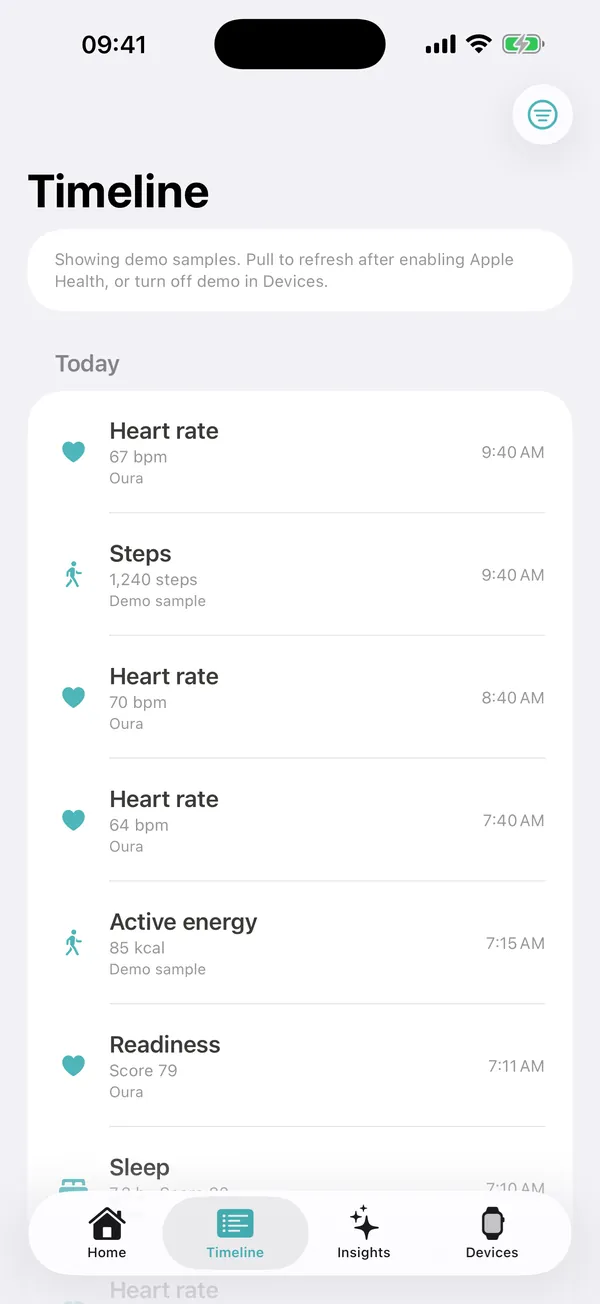
Heart rate, activity, sleep, weight and glucose from every source you allow, side by side by date.来自你所允许的每个来源的心率、活动、睡眠、体重与血糖,按日期并排呈现。
THIS WEEK · SAMPLE本周 · 示例You walked a bit more than last week, and slept about the same.本周步数比上周略多,睡眠时长基本持平。
02
Plain-language summaries平实语言的总结
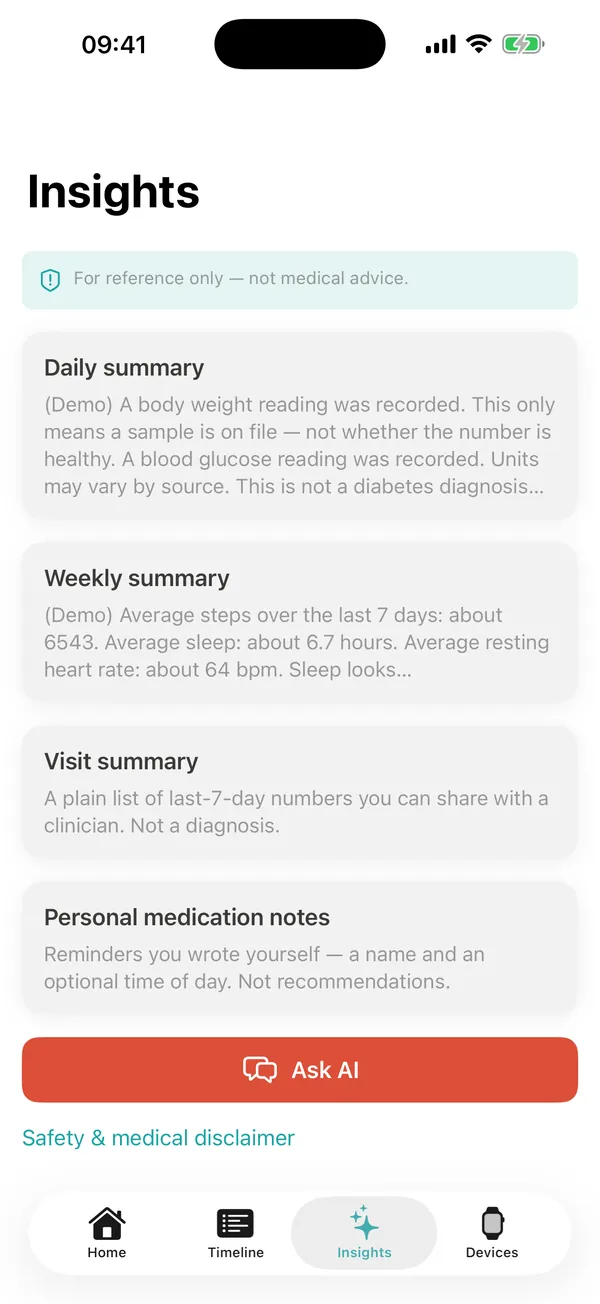
Daily and weekly summaries in gentle, everyday words — trends only, never a diagnosis.用温和的日常语言给出每日与每周总结——只谈趋势,从不诊断。
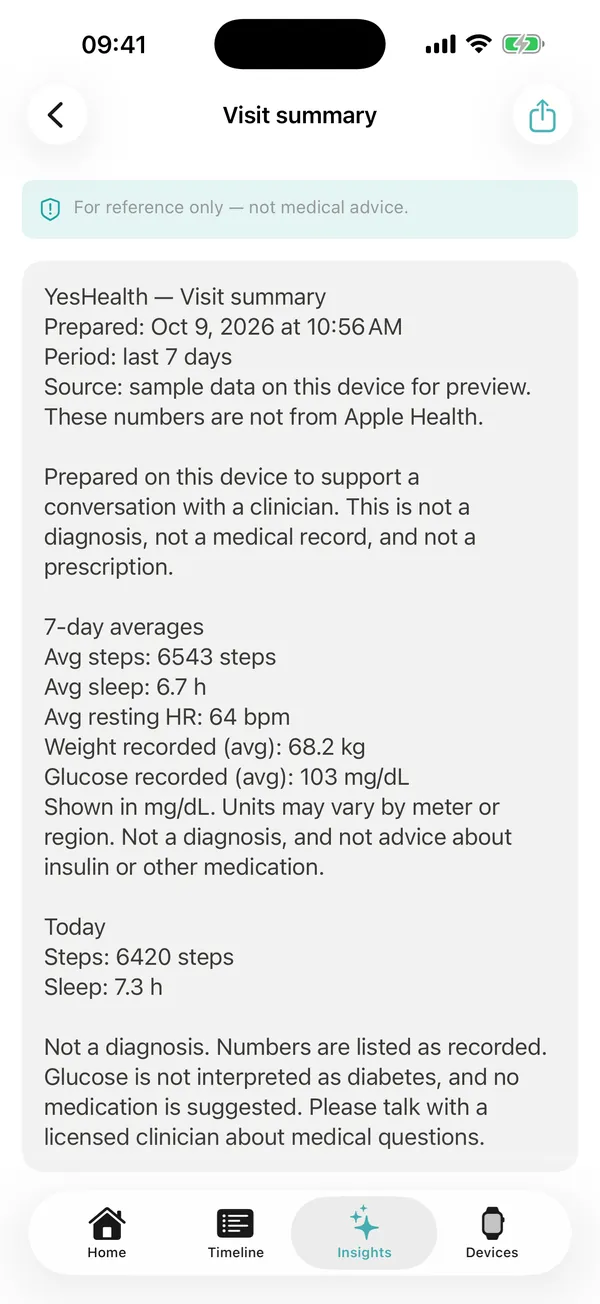
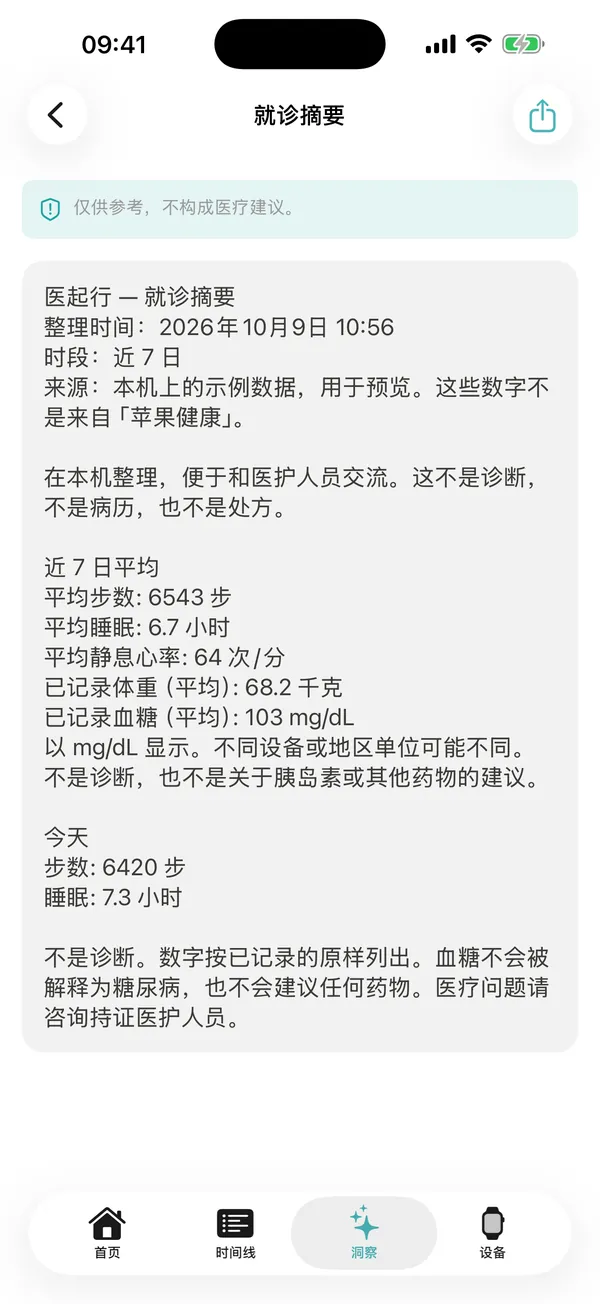
VISIT SUMMARY · LAST 7 DAYS就诊摘要 · 最近 7 天
03
Ready for your visit就诊前心中有数
A clear list of recent numbers and data sources, plus your own symptom and medication notes, to support a conversation with your clinician.清晰列出近期数据与来源,以及你自己记录的症状与用药备忘,方便与医生沟通。
HOW IT WORKS如何使用
Up and running in a minute一分钟即可开始
01
Choose what to share选择要共享的数据
Pick the Apple Health categories you care about. You can skip, and change it any time.挑选你关心的「苹果健康」类别。可以跳过,也可随时更改。
02
Connect a wearable (optional)连接可穿戴设备(可选)
Sign in to Oura and other supported devices on the maker’s own page. Disconnect any time.在厂商自己的页面登录 Oura 等支持的设备,可随时断开。
03
See your picture看清你的数据
Your timeline, targets and daily / weekly insights appear — all computed on your iPhone.时间线、目标以及每日 / 每周洞察随即呈现——全部在你的 iPhone 上计算。
04
Share if you want需要时再分享
Send a weekly report or doctor-visit summary, or export a JSON copy. Nothing leaves your phone unless you share it.发送周报或就诊摘要,或导出 JSON 副本。除非你主动分享,数据不会离开手机。
A LOOK INSIDE先睹为快
Seven screens,one calm routine.七个页面,一份安心的日常。
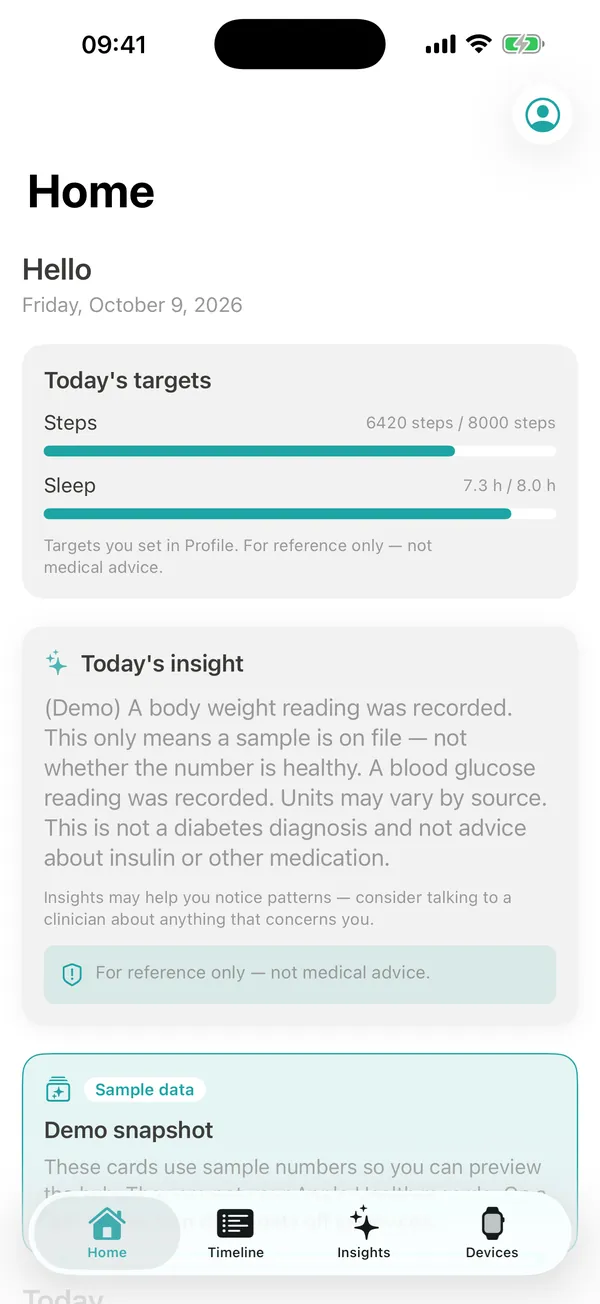
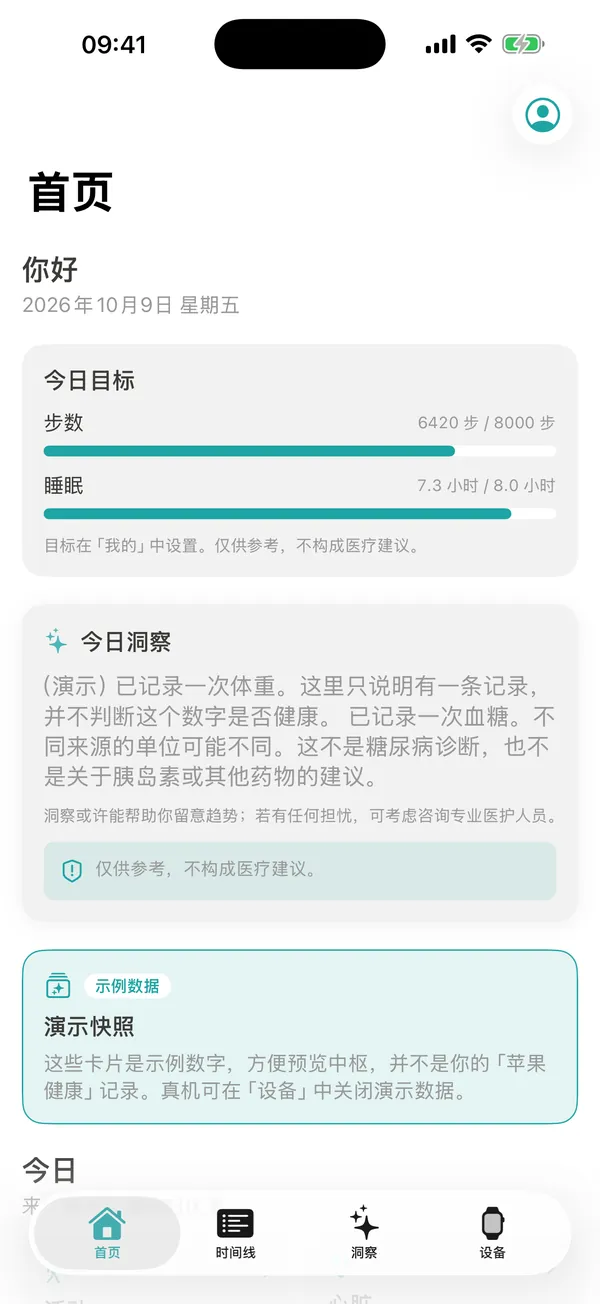
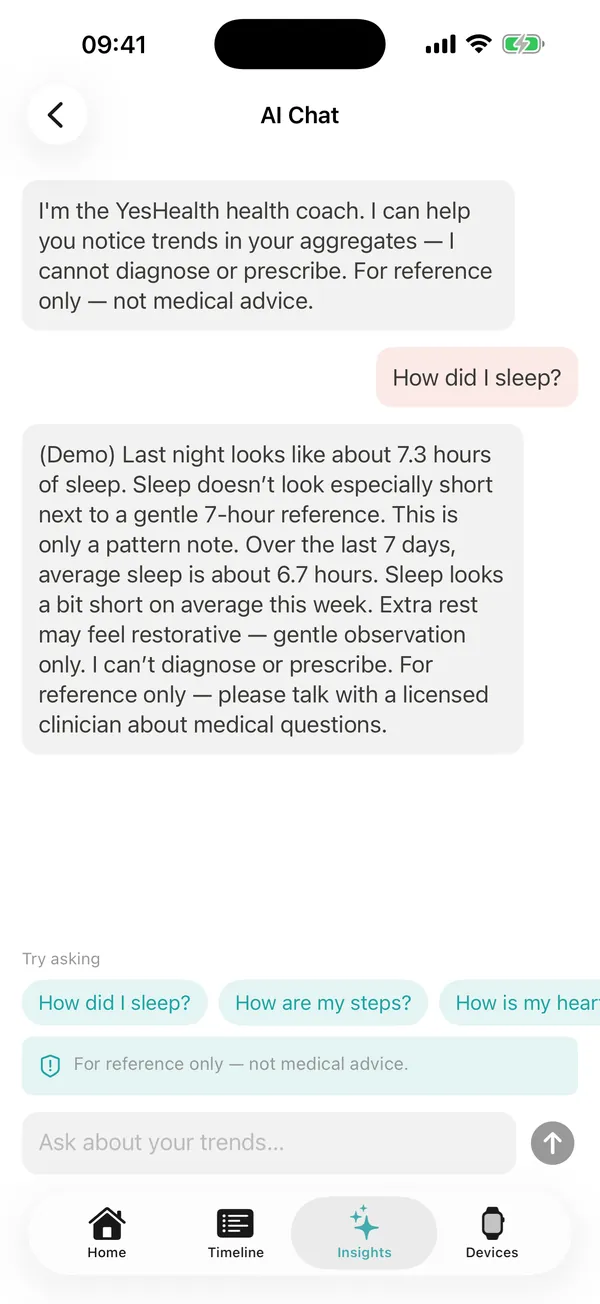
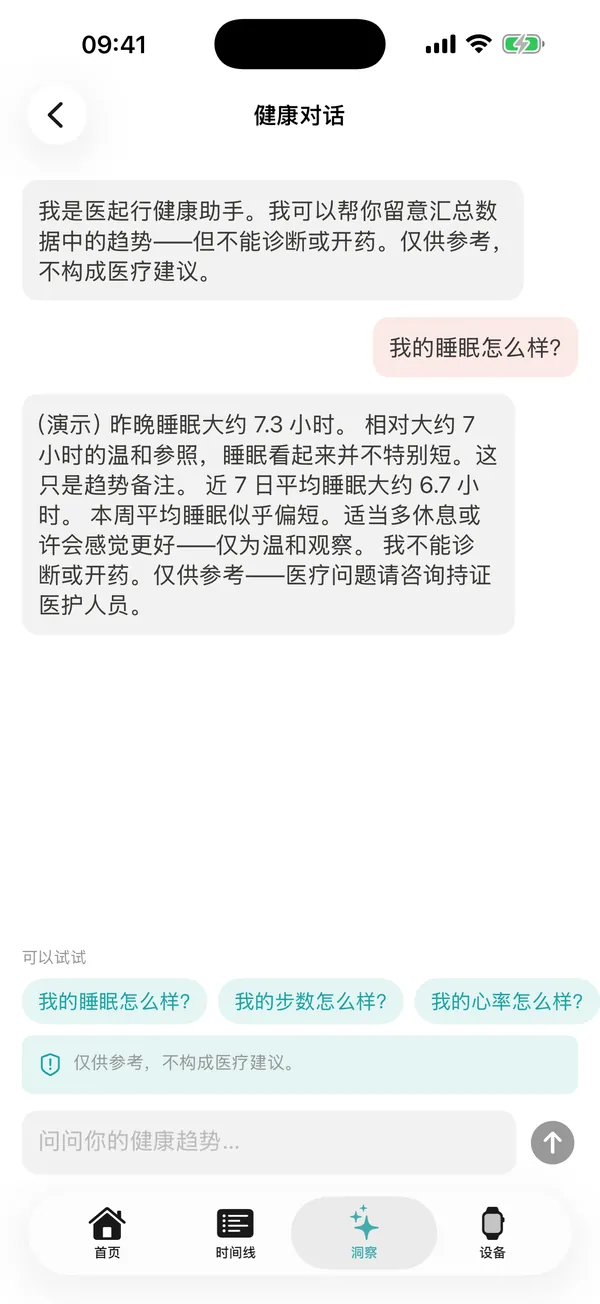
Screens from the app with demo data. The app follows your iPhone language — English or Simplified Chinese.以下为 App 演示数据截图。App 跟随 iPhone 系统语言,支持英文与简体中文。
01Home首页Targets and today’s insight at a glance.一眼看到目标进度与今日洞察。
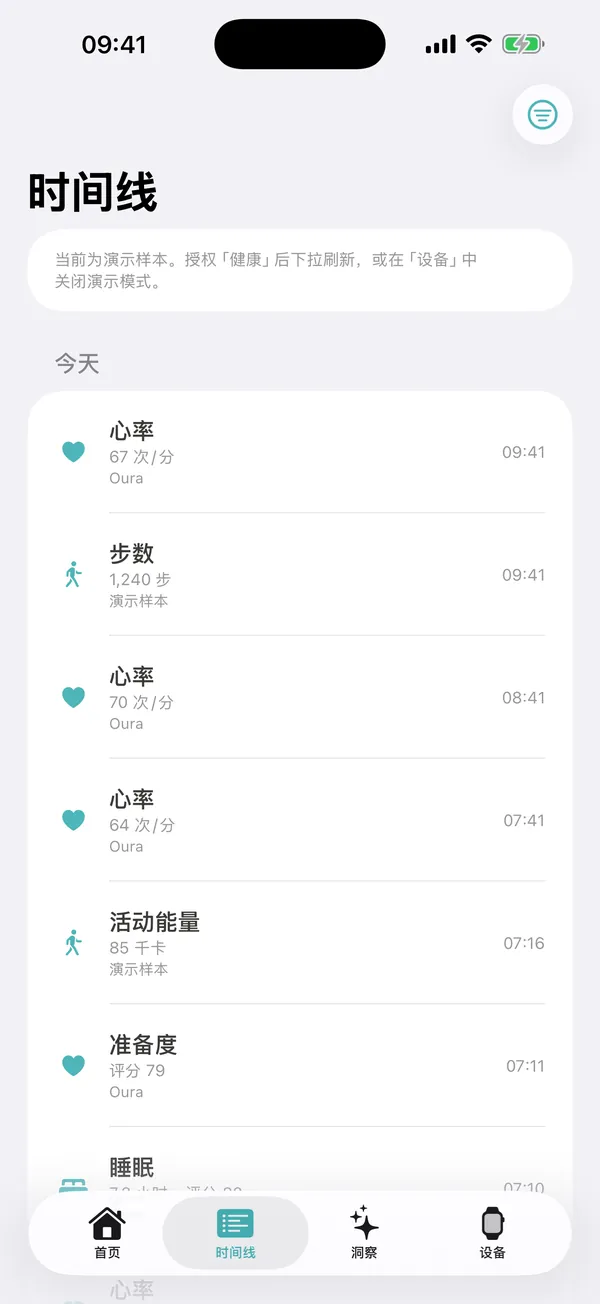
02Timeline时间线Every source, one date-by-date view.所有来源,按日期汇成一条线。
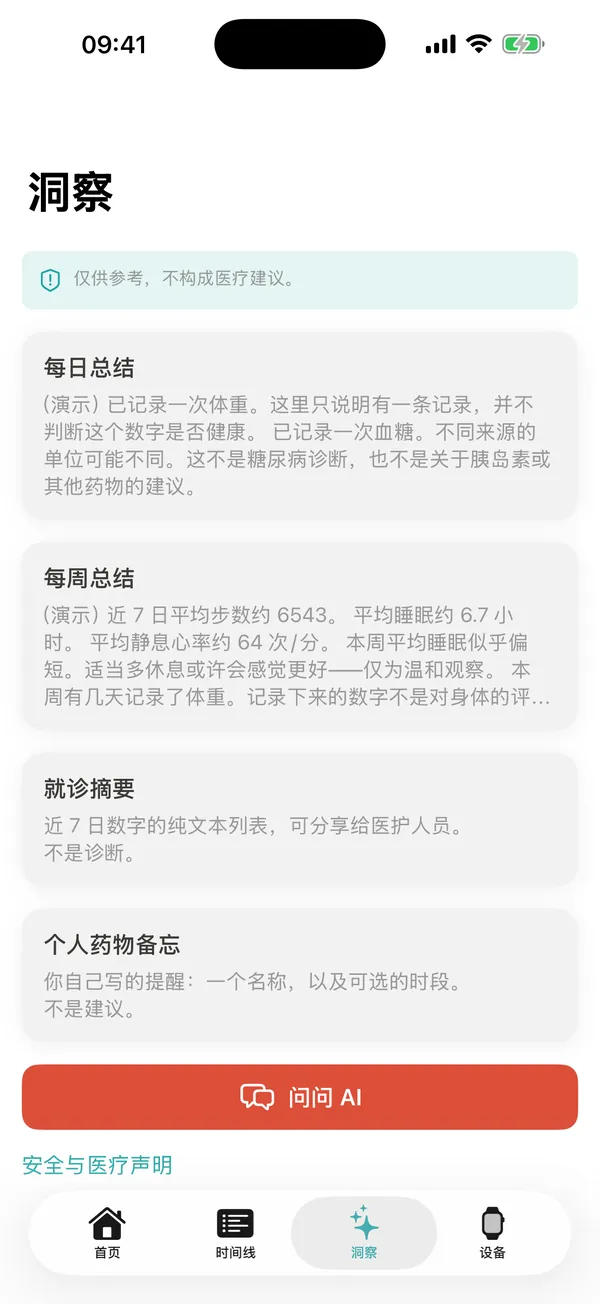
03Insights洞察Plain-language daily and weekly summaries.平实语言的每日 / 每周总结。
04Health chat健康问答Ask about your own trends — safely.安全地询问你自己的数据趋势。
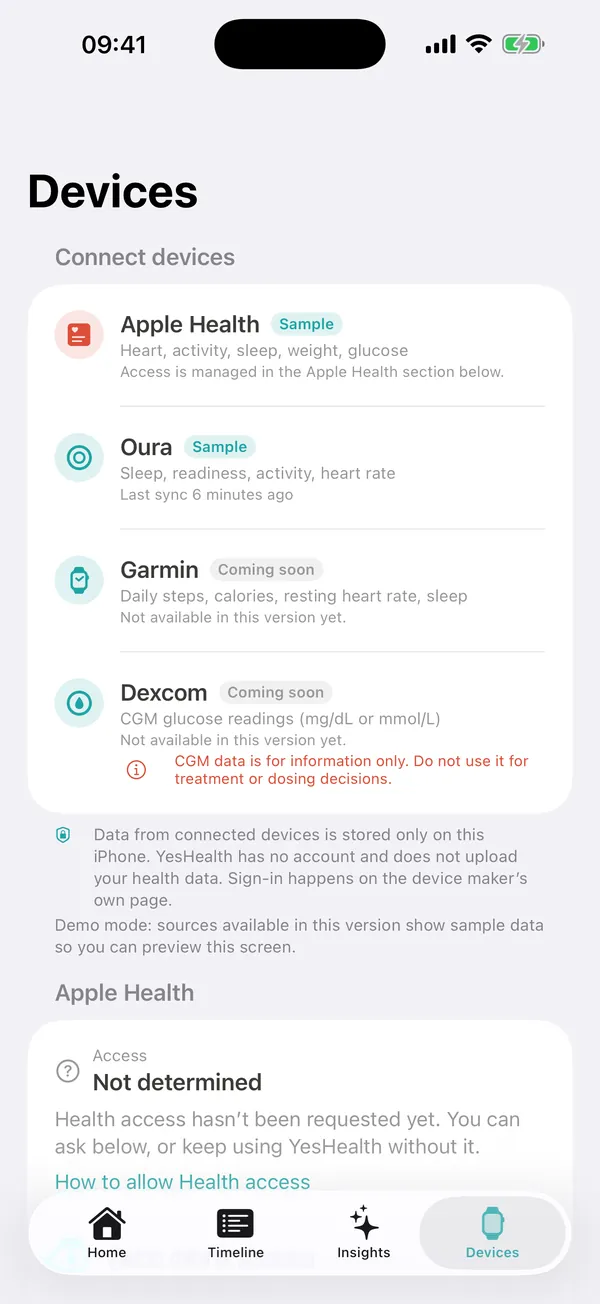
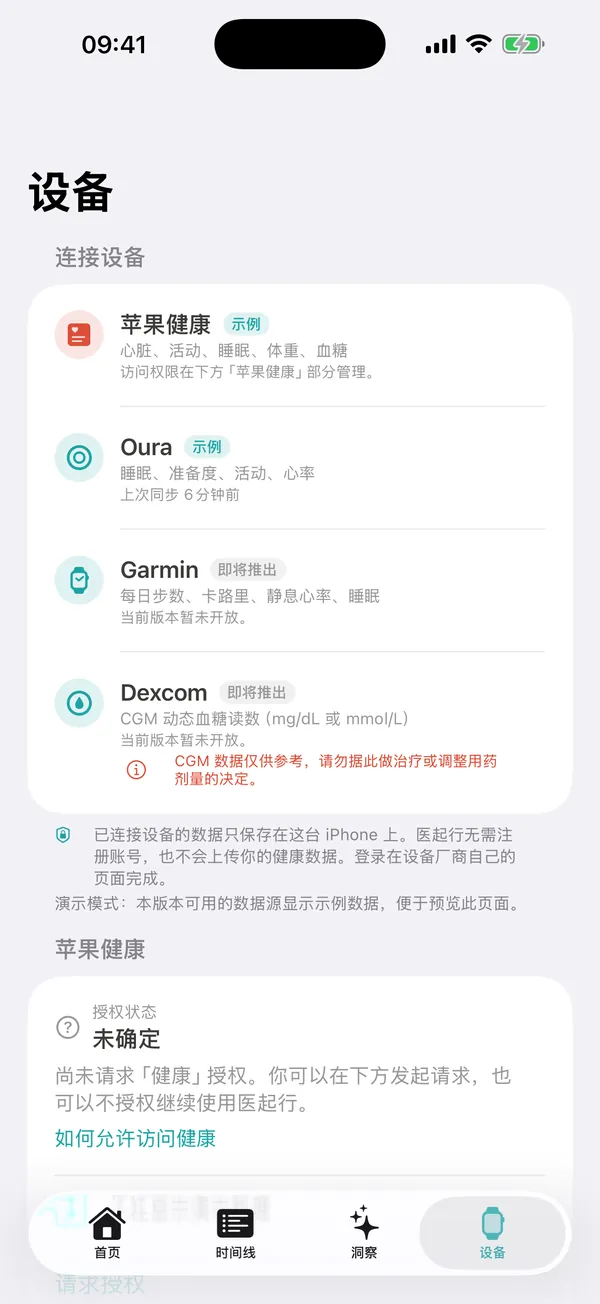
05Devices设备Apple Health and optional wearables.苹果健康与可选的可穿戴设备。
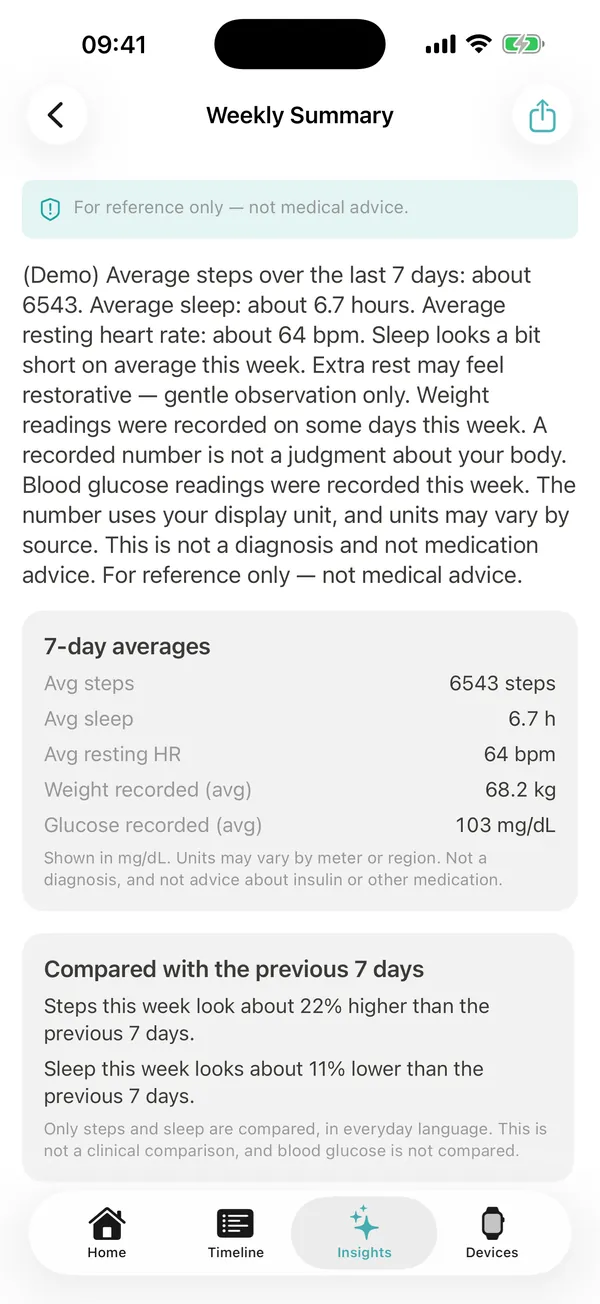
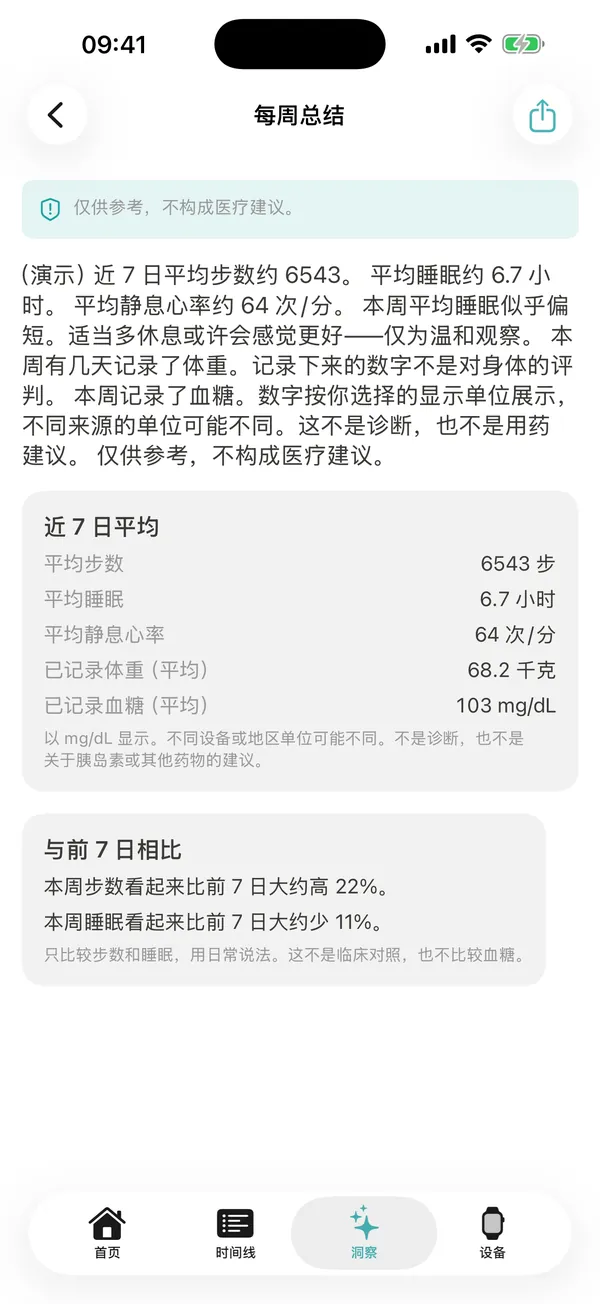
06Weekly summary每周摘要Share a 7-day summary when you choose.需要时分享最近 7 天的摘要。
07Visit summary就诊摘要Numbers and sources for your next appointment.为下次就诊整理数据与来源。
FEATURES功能
Everything in one calm place.一切尽在一个安静的地方。
Unified timeline统一时间线
Heart rate, activity, sleep, weight and glucose from Apple Health and connected devices in one date-by-date view, with simple filters.把来自「苹果健康」和已连接设备的心率、活动、睡眠、体重、血糖按日期汇总到一条时间线,并可简单筛选。
Daily & weekly insights每日 / 每周洞察
Summaries generated on your iPhone, explained in plain, gentle language — trends only, never a diagnosis.在你的 iPhone 上本地生成的总结,用平实、温和的语言解释——只谈趋势,从不诊断。
Week-over-week comparison周对比
See how this week’s steps and sleep compare with the previous 7 days, in everyday words.用日常语言对比本周与前 7 天的步数和睡眠变化。
Personal targets个人目标
Set your own daily step and sleep targets and track progress on Home. Your targets, not medical goals.自定每日步数与睡眠目标,在首页查看进度。这是你自己的目标,不是医疗目标。
Safe health Q&A安全的健康问答
Ask about your own trends. The chat runs on your device and politely refuses to diagnose, prescribe or suggest doses.询问你自己的数据趋势。对话在本机运行,会礼貌拒绝诊断、开药或给出剂量建议。
Shareable weekly report可分享的周报
Share a plain-text summary of the last 7 days in English or Chinese — only when you choose to.可将最近 7 天的摘要以英文或中文纯文本分享——只在你主动选择时。
Doctor-visit summary就诊摘要
A clear list of last-7-day numbers and data sources to support a conversation with your clinician. Not a medical record.清晰列出最近 7 天的数据与来源,方便你和医生沟通。不是病历,也不是诊断。
Medication notes用药备忘
Note medication names and times you enter yourself, as a personal reminder. No dosing or medication advice.记录你自己输入的药物名称和时间,作为个人提醒。不提供剂量或用药建议。
Symptom journal症状日记
Write dated notes in your own words with an optional Okay / Low / Rough label. Stored only on your iPhone.按日期用自己的话记录,可选「还好 / 偏低落 / 比较难受」标签。只保存在你的 iPhone 上。
JSON exportJSON 导出
Export a copy of your targets, notes and summaries as a JSON file and share it via the iOS share sheet.将你的目标、备忘和汇总导出为 JSON 文件,通过系统分享面板发送。
Optional reminder可选提醒
One gentle local daily reminder, off by default. Nothing is sent to a server.一条温和的本地每日提醒,默认关闭,不会发送到任何服务器。
Your units, your language单位与语言随你
kg or lb, mg/dL or mmol/L, English or Simplified Chinese, plus dark mode.体重 kg / lb,血糖 mg/dL / mmol/L,英文或简体中文,并支持深色模式。
DATA SOURCES数据来源
Works with Apple Healthand popular wearables.支持「苹果健康」与主流可穿戴设备。
Apple Health is all you need to get started — no wearable required. Device connections are optional, use each maker’s own sign-in page, and can be disconnected at any time. Some connections may show as “Coming soon” in the app while they roll out.只需「苹果健康」即可开始,无需可穿戴设备。设备连接为可选项,在各厂商自己的页面登录,并可随时断开。部分连接在逐步开放期间,App 内可能显示为「即将推出」。
Core核心
Apple Health苹果健康
Heart rate, activity & steps, sleep, and optionally weight and blood glucose — only the categories you allow.心率、活动与步数、睡眠,以及可选的体重与血糖——仅限你允许的类别。
Optional可选
Oura
Sleep, readiness, activity and heart rate, after you sign in on Oura’s own page.在 Oura 官方页面登录授权后,读取睡眠、准备度、活动与心率。
Optional可选
Garmin
Daily steps, calories, resting heart rate and sleep.每日步数、卡路里、静息心率与睡眠。
Optional可选
Dexcom
CGM glucose readings in mg/dL or mmol/L — for information only, never for treatment or dosing decisions.CGM 动态血糖读数(mg/dL 或 mmol/L)——仅供参考,切勿据此做治疗或剂量决定。
PRIVACY FIRST · LOCAL FIRST隐私优先 · 本地优先
Your health data is yours.你的健康数据属于你。
YesHealth is built local-first. There is no account, no cloud sync and no developer server — and when you choose a cloud AI in 1.1, de-identified data you confirm goes straight to that provider, never to us.医起行从设计上就是本地优先:没有账号、没有云同步、没有开发者服务器——在 1.1 版中选择云端 AI 时,经你确认的去标识化数据会直接发给该服务商,绝不经过我们。
✓No sign-up or account required无需注册或账号✓Health data stays on your device健康数据保留在你的设备上✓No ads, no tracking, no selling of data无广告、无追踪、不出售数据✓HealthKit data is never used for ads or shared with third partiesHealthKit 数据绝不用于广告,也不与第三方共享✓Insights are computed on your iPhone洞察在你的 iPhone 上本地计算✓You control permissions, exports and disconnections权限、导出与断开连接都由你掌控
Where your data lives, moving phones, which AI you can use and what gets sent. See all questions →数据存在哪里、怎么换手机、能用哪些 AI、会发送什么。查看全部问题 →
01Where is my data stored?我的数据存储在哪里?+
On your iPhone. Health data, synced device data, notes and summaries are stored locally in the app; connection sign-ins are kept in the iOS Keychain. We don’t operate a server that stores your health data. For some device connections, a minimal sign-in service is used only to exchange login tokens — it does not store your health data. See the Privacy Policy for details.
02How do I move my data to a new iPhone?换新手机时,数据怎么迁移?+
Because there is no account or cloud sync, your data never sits on our servers. Coming in 1.1: create a password-encrypted backup file in the app, send it to your new iPhone with AirDrop or save it in Files, then open it in YesHealth and enter your password. Only you hold the file and the password — we can’t recover either. Already in 1.0, you can export a copy of your data as JSON at any time (open formats including CSV are planned for 1.1).
Coming in 1.1. Bring your own AI and switch any time: OpenAI, Claude, Gemini, DeepSeek, Qwen (通义千问), Kimi, any OpenAI-compatible endpoint, or Apple’s on-device model on supported iPhones. Your data follows you, not any single AI model. Requests go directly from your iPhone to the provider you choose, under that provider’s terms — never through us. AI features are optional; everything else works without them.
04What is sent to the AI provider? Is it de-identified?会向 AI 服务发送什么?会去标识化吗?+
Coming in 1.1. Nothing is sent unless you use an AI feature with a cloud provider, and you always see a preview of exactly what will be sent and must confirm it first. Before anything leaves your phone, personal information is removed or generalised: name, phone, email, address, ID numbers, exact birth date (replaced by an age band), location, device and account IDs, names inside your notes, and photo GPS / EXIF data. Dates are made relative (for example “day 3”), and for checkup report scans only the lab values are sent, not the image. With Apple’s on-device model, nothing leaves your iPhone at all.
05What are the food log and checkup report features?饮食记录和体检报告功能是什么?+
Coming in 1.1.Food log: add a meal by photo or text plus a portion size; AI estimates calories, protein, carbohydrates, fat and fibre, you can edit every number, and meals are shown alongside your activity, weight and glucose. Checkup reports: upload a PDF or photo of a lab report; the text is recognised on your iPhone, AI organises the indicators with their reference ranges and out-of-range flags, and you can follow multi-year trends next to your wearable data. Estimates and summaries are for reference only and are not a diagnosis.
1.1 版即将推出。饮食记录:拍照或输入文字并填写份量,AI 估算热量、蛋白质、碳水化合物、脂肪和膳食纤维,每个数字都可修改,并与活动、体重、血糖数据一起呈现。体检报告:上传化验报告的 PDF 或照片,文字在 iPhone 本机识别,AI 整理各项指标、参考范围及异常标记,还可结合可穿戴设备数据查看多年趋势。估算与整理结果仅供参考,不构成诊断。
06Can I use the AI features in mainland China?在中国大陆可以使用 AI 功能吗?+
Cloud AI providers decide where their services are offered, and some may be unavailable or hard to reach in certain regions, including mainland China. That is up to each provider and your network, not YesHealth. Whatever your region, all existing features keep working, and in 1.1 Apple’s on-device model (on supported iPhones) or any OpenAI-compatible endpoint you can legally reach can be used instead. Please follow the laws and the provider terms that apply to you.
云端 AI 服务商会自行决定在哪些地区提供服务,部分服务在某些地区(包括中国大陆)可能无法使用或连接不稳定,这取决于各服务商与你的网络环境,而非医起行。无论身处哪个地区,现有功能都可正常使用;在 1.1 版中,你也可以改用苹果的本机模型(限支持的 iPhone)或你可合法访问的任一 OpenAI 兼容服务。请遵守你所在地的法律及服务商条款。
07Is YesHealth medical advice?医起行提供医疗建议吗?+
No. YesHealth is not a medical device and does not diagnose, treat, prescribe or recommend doses. Insights describe trends in plain language for reference only. Talk with a licensed clinician about medical questions, and call your local emergency number in an emergency. See the medical disclaimer.
YesHealth is a one-time paid download on the App Store. There are no subscriptions, ads or in-app purchases. The price shown in the App Store for your region applies.
医起行在 App Store 一次性付费下载,没有订阅、广告或 App 内购买。具体价格以你所在地区 App Store 显示为准。
Medical disclaimer医疗免责声明
YesHealth is not a medical device. It is for general wellness information only and does not diagnose, treat, prescribe or give dosing advice. Always consult a qualified healthcare professional. In an emergency, call your local emergency number.医起行不是医疗器械,仅提供一般健康信息参考,不进行诊断、治疗、开药或剂量建议。请始终咨询合格的医疗专业人员。如遇紧急情况,请拨打当地急救电话。Read the full medical disclaimer →阅读完整医疗免责声明 →
Less guessing,more understanding.少一点猜测,多一点了解。
One-time purchase — no subscription, no ads, no in-app purchases. YesHealth is on its way to the App Store.一次性购买——无订阅、无广告、无 App 内购买。医起行即将登陆 App Store。